 Deals Radar
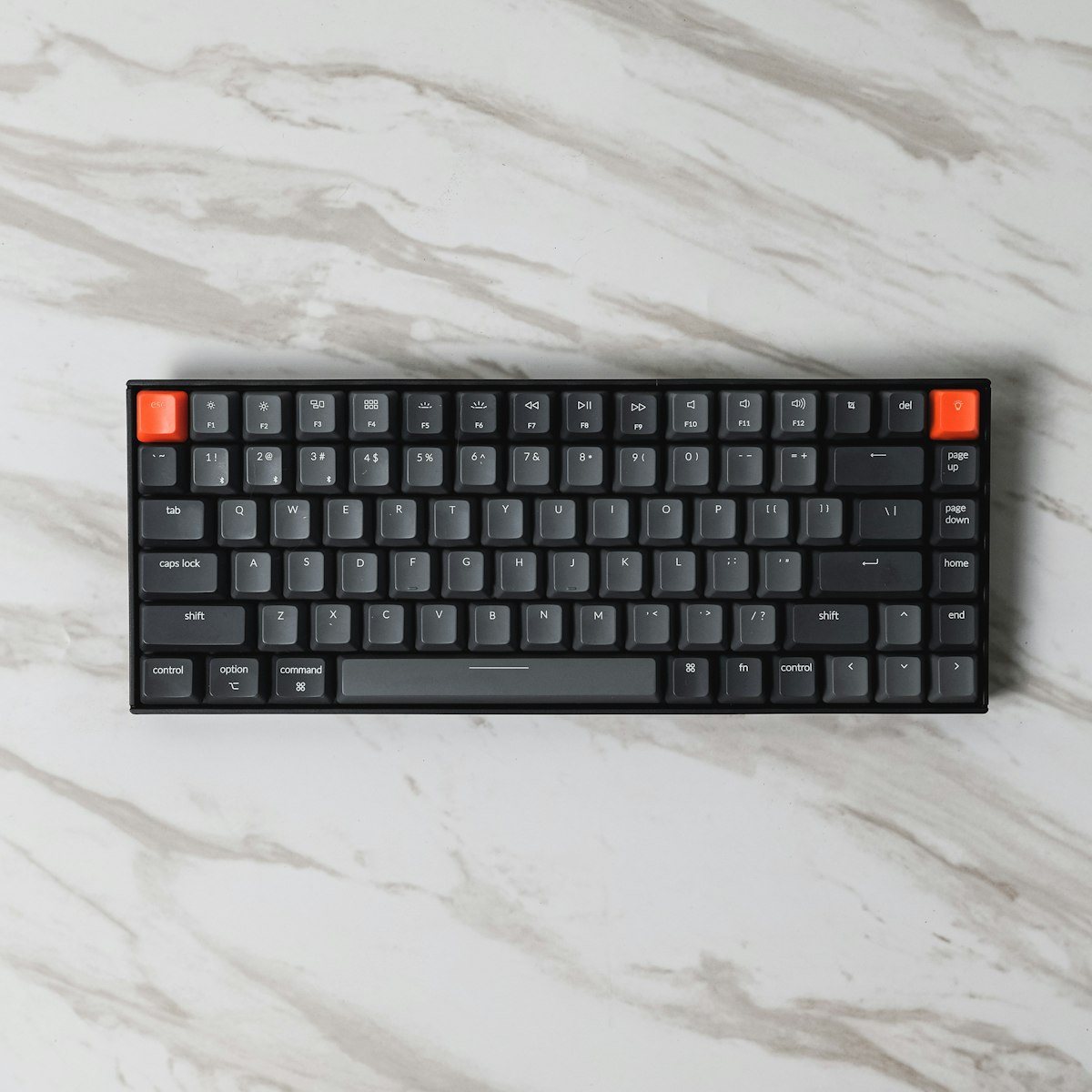
Modern mechanical keyboards deliver tactile feedback, RGB lighting, and build quality that membrane boards simply can't match.
- Mechanical keyboards use individual switches per key, which makes them more durable, more accurate, and more comfortable for long typing sessions compared to membrane keyboards.
- In 2026, you no longer need to spend ₹10,000 to get into mechanical keyboards — solid options are available under ₹3,000 on Amazon India.
- The right switch type matters: Red switches suit gamers and fast typists, Blue switches suit those who enjoy audible feedback, and Brown switches offer a middle ground for office and home use.
- For coders, writers, and gamers who use their keyboard for several hours a day, the upgrade is almost always worth it — the difference in feel is immediately noticeable.
- Hot-swappable keyboards let you change switches without soldering, making them a smart buy even at budget price points.
This guide will help you decide whether buying a mechanical keyboard makes sense for your situation in 2026 — and if it does, which ones to consider under ₹3,000 on Amazon India. Whether you're a student, a coder, a gamer, or someone who just spends too many hours at a keyboard, the answer is almost never a simple yes or no. It depends on what you do, how long you do it, and what you're currently using.
What Actually Makes a Mechanical Keyboard Different?
Every key on a mechanical keyboard has its own physical switch underneath it. Press a key, and a spring-loaded mechanism inside that switch registers the input. On a membrane keyboard — the kind bundled with most budget desktop setups — all the keys sit on a flat rubber sheet that has to flex all the way to the bottom before registering a press. That design is cheaper to manufacture, which is why it's everywhere, but it creates a mushy, imprecise feel that many people don't notice until they try something better.
The practical differences are significant. Mechanical switches are rated for 50 million keystrokes or more per key. Most membrane keyboards don't publish a keystroke rating at all, and in practice they start to feel inconsistent after a year or two of heavy use. Mechanical keyboards also have defined actuation points — the exact moment the keystroke registers — which can help with both typing accuracy and reaction time in games.
Understanding Switch Types
The character of a mechanical keyboard is largely determined by the switch type. There are three broad categories most Indian buyers will encounter at the budget end:
Linear switches (Red) — Smooth keystroke from top to bottom with no tactile bump or click sound. Preferred by gamers who want fast, quiet key presses. The Redragon K617 Fizz uses Red switches and is one of the most popular examples in India.
Clicky switches (Blue) — These produce an audible click and a tactile bump at the actuation point. Many typists love the feedback, but they are noticeably loud — not ideal for shared spaces or late-night sessions. The Ant Esports MK1300 V2 is available with Blue switches.
Tactile switches (Brown) — A middle ground: you get the bump without the loud click. Good for people who type a lot but don't want to disturb others. The Ant Esports MK1300 V2 is also available in Brown, which makes it a versatile pick for home offices.
Who Should Actually Buy a Mechanical Keyboard?
Not everyone needs one, and it's worth being honest about that. If you use a keyboard for 20–30 minutes a day to send emails and browse, the upgrade won't change your life in any meaningful way. But if you fall into any of the following categories, the difference will be immediately noticeable.
Coders and programmers are probably the group that benefits most. Writing code involves constant repetition of the same keystrokes — brackets, semicolons, backspaces — hundreds of times per hour. The precise actuation of a mechanical switch reduces the cognitive load of typing because your fingers receive consistent, reliable feedback. Many developers report fewer typos after switching, though individual results vary.
Competitive gamers benefit from the low actuation force and defined actuation point of linear switches. In fast-paced games where reaction time matters — FPS titles especially — the difference between a mechanical and membrane keyboard can be felt, even if it's subtle. Anti-ghosting support (registering multiple simultaneous key presses accurately) is also standard on mechanical keyboards at this price range.
Writers and content creators who type for hours at a stretch often find membrane keyboards fatiguing over time. The bottom-out force required on a membrane board is inconsistent, leading to more finger effort per keystroke. Mechanical switches let you type with lighter, more controlled finger movements.
Students doing assignments, notes, or coding projects will appreciate the durability. A good mechanical keyboard bought in first year of college is likely to still be working perfectly in fourth year, whereas budget membrane keyboards frequently develop dead keys or mushy spots over that period.
The Case Against Mechanical Keyboards (Being Honest)
There are real reasons some people stick with membrane, and this guide wouldn't be useful without acknowledging them.
Clicky mechanical switches are loud. If you're in a shared room, a hostel, or an office, Blue switches will annoy people around you. Even Brown switches are perceptibly louder than a good membrane board. Red switches are the quietest of the mechanical options, but they're still not silent. If noise is a genuine concern, look specifically for keyboards with Silent switches — some models in the ₹2,500–₹3,000 range include them, though they're less common at the budget end.
The compact layouts (60% and TKL) that dominate the budget mechanical market also come with a learning curve. 60% keyboards remove the function row, arrow keys, and numpad. TKL removes only the numpad. If you work heavily with spreadsheets, use function keys constantly, or rely on the number pad for data entry, a full-size mechanical keyboard might be harder to find under ₹3,000 — though options like the TVS Electronics Gold and HP GK320 exist in this space.
Finally, if you're buying your very first mechanical keyboard, there's an adjustment period. The feel is noticeably different, and some people need a week or two before it starts feeling natural.
Mechanical Keyboards Under ₹3,000 on Amazon India — Verified In-Stock Picks
The options below were confirmed available on Amazon India at the time of research. Prices on Amazon fluctuate, so always check the current listing before purchasing. All three are solid entry points for different use cases.
Redragon K617 Fizz — 60% Layout, Hot-Swappable Red Switches
The Redragon K617 Fizz is arguably the most talked-about budget mechanical keyboard in India right now. It's a 60% board with 61 keys, a detachable USB-C cable, hot-swappable sockets (meaning you can pull out and replace switches without any soldering), and up to 20 RGB lighting presets. The Red switches make it a smooth, relatively quiet option suited to gaming and fast typing. The compact form factor frees up significant desk space. It's sold by Clicktech Retail Private Ltd on Amazon and has thousands of verified reviews. This keyboard suits buyers who primarily game or type quickly and want a small footprint on their desk.
Ant Esports MK1300 V2 — 60% Layout, Choice of Red or Brown Switches, Hot-Swappable
The Ant Esports MK1300 V2 is a strong domestic competitor to the Redragon K617. It's available in Red, Brown, and Blue switch variants, which gives you genuine choice based on how you'll use it. The keyboard features per-key RGB, a detachable USB-C braided cable, anti-ghosting across all 61 keys, and software support for macro customisation. Its price has been consistently below ₹1,700 on Amazon India, making it one of the most affordable true mechanical keyboards available in the country. The Brown switch variant is a particularly good pick for students and writers who want tactile feedback without excessive noise.
Cosmic Byte CB-GK-26 Pandora — TKL Layout, Outemu Red Switches
If you're not ready to give up your arrow keys and function row, the Cosmic Byte CB-GK-26 Pandora is worth considering. It's an 87-key TKL board from Cosmic Byte — one of India's more established home-grown gaming peripheral brands. It uses Outemu Red switches, features a full rainbow LED backlight with 20 preset effects, and includes double-shot injection-moulded keycaps rated for 50 million keystrokes. It's a better fit for students doing coding assignments or office tasks where the function keys and arrow keys are used regularly. It's available and fulfilled through Amazon India.
How to Choose the Right One for You
There's a simple decision framework that covers most situations. If desk space is tight and you primarily game or type quickly, go with the Redragon K617 Fizz or Ant Esports MK1300 V2 — both are 60% boards with hot-swap support. If you need arrow keys and function keys for daily work, the Cosmic Byte CB-GK-26 Pandora is the natural pick at this budget.
On switches: Red if you game or type fast and want a quieter experience. Brown if you want tactile feedback for typing but share a room. Blue if you type a lot, don't mind the noise, and enjoy that classic clicky feel.
On layout: 60% is the most compact and desk-friendly but requires using function-layer shortcuts for arrow keys and media controls. TKL (87-key) keeps your daily workflow mostly unchanged while still cutting the numpad. Full-size mechanical keyboards are harder to find under ₹3,000 in India, though they exist — check our full-size budget gaming keyboard roundup if that's what you need.
One last consideration: if you think you might want to experiment with different switch feels down the line, prioritise hot-swappable boards (both the K617 and MK1300 V2 qualify). Being able to pop in a new switch without soldering iron skills is a meaningful quality-of-life feature, even at this price.
Frequently asked questions
Is a mechanical keyboard really worth it for typing and coding in India?
For people who type heavily — programmers, writers, students — a mechanical keyboard is a meaningful upgrade. The individual switches provide consistent, defined feedback on every keystroke, which reduces typing fatigue and tends to improve accuracy over long sessions. If you're typing for several hours a day, the difference compared to a membrane board is noticeable within the first few minutes of use. For casual use (30 minutes a day or less), the difference is real but less impactful.
Which mechanical keyboard switch is best for beginners in India?
Brown switches are generally the most beginner-friendly option. They give you a tactile bump at the actuation point — enough feedback to feel the difference from membrane — without the loud click of Blue switches. They work reasonably well for both typing and gaming, which is useful if you're not sure which activity will dominate your usage. Red switches are a better pick if you already know you primarily game. Blue switches are great for dedicated typists who don't share their space.
Are mechanical keyboards noisy? Will they disturb people around me?
It depends on the switch. Blue (clicky) switches are noticeably loud — about 50–60 dB at the key, which is audible across a room. Brown switches have a softer tactile bump with no click, and most people around you won't find them bothersome. Red switches are the quietest among standard mechanical options. Some keyboards also offer Silent variants (labelled Silent Red or similar) that dampen the sound further — these are worth considering if you live or work in close quarters with others.
What is a hot-swappable mechanical keyboard and should I look for one?
A hot-swappable keyboard lets you pull out individual switches and replace them with different ones without needing to solder anything. This is useful if you want to experiment with different switch types — say, starting with Red switches and switching to Brown later — or if a single switch stops working and needs replacing. At the ₹1,500–₹3,000 price range in India, both the Redragon K617 Fizz and Ant Esports MK1300 V2 offer hot-swap support, which is genuinely good value for the price.
Is a 60% mechanical keyboard a good choice for daily use?
A 60% keyboard removes the function row, arrow keys, and numpad, which frees up significant desk space. Most 60% keyboards map these functions to key combinations (e.g., Fn + WASD for arrow keys), which takes a week or two to get used to. If your daily work involves heavy spreadsheet use, frequent function key shortcuts in your IDE, or a lot of numerical data entry, a TKL (87-key) layout will feel more natural for day-to-day use. For gaming or general typing where you don't use those areas much, 60% works very well.
Can I use a mechanical keyboard with a laptop?
Yes, absolutely. Most budget mechanical keyboards in India connect via a standard USB-A cable. If your laptop has only USB-C ports, you'll need a USB-A to USB-C adapter or hub, which costs very little. Keyboards like the Redragon K617 Fizz and Ant Esports MK1300 V2 have detachable USB-C cables on the keyboard side, but the other end plugs into a standard USB-A port on your computer or hub. They are plug-and-play on Windows and macOS with no driver installation required.